LapseOneTM All in one. Blazing fast.

Professional Timelapse Post-Production Workstation

From RAW decoding, developing and grading to deflicker,
stabilization, mask tracking and final render —
the complete timelapse workflow, done in one go.
Stop juggling tools. Start creating.
Coming soon Coming soon
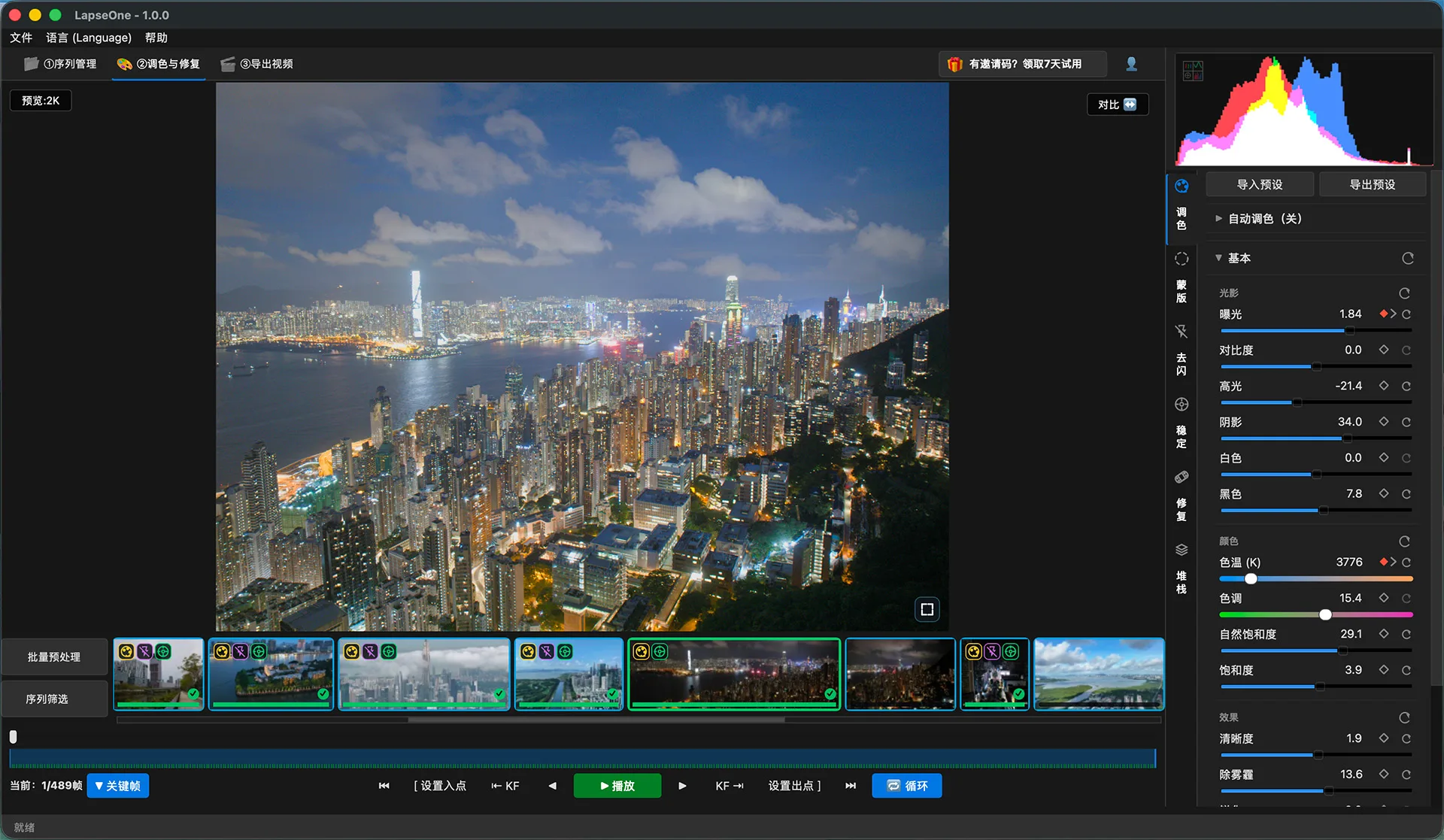
LapseOne timelapse post-production workspace
7-Day Free Full-Feature Trial
Every PRO feature fully unlocked right after install
All in One

A timelapse project should not bounce between several apps.
Footage Sequences RAW decode Develop Grade Deflicker Mask Track Stabilize Repair Render Deliver
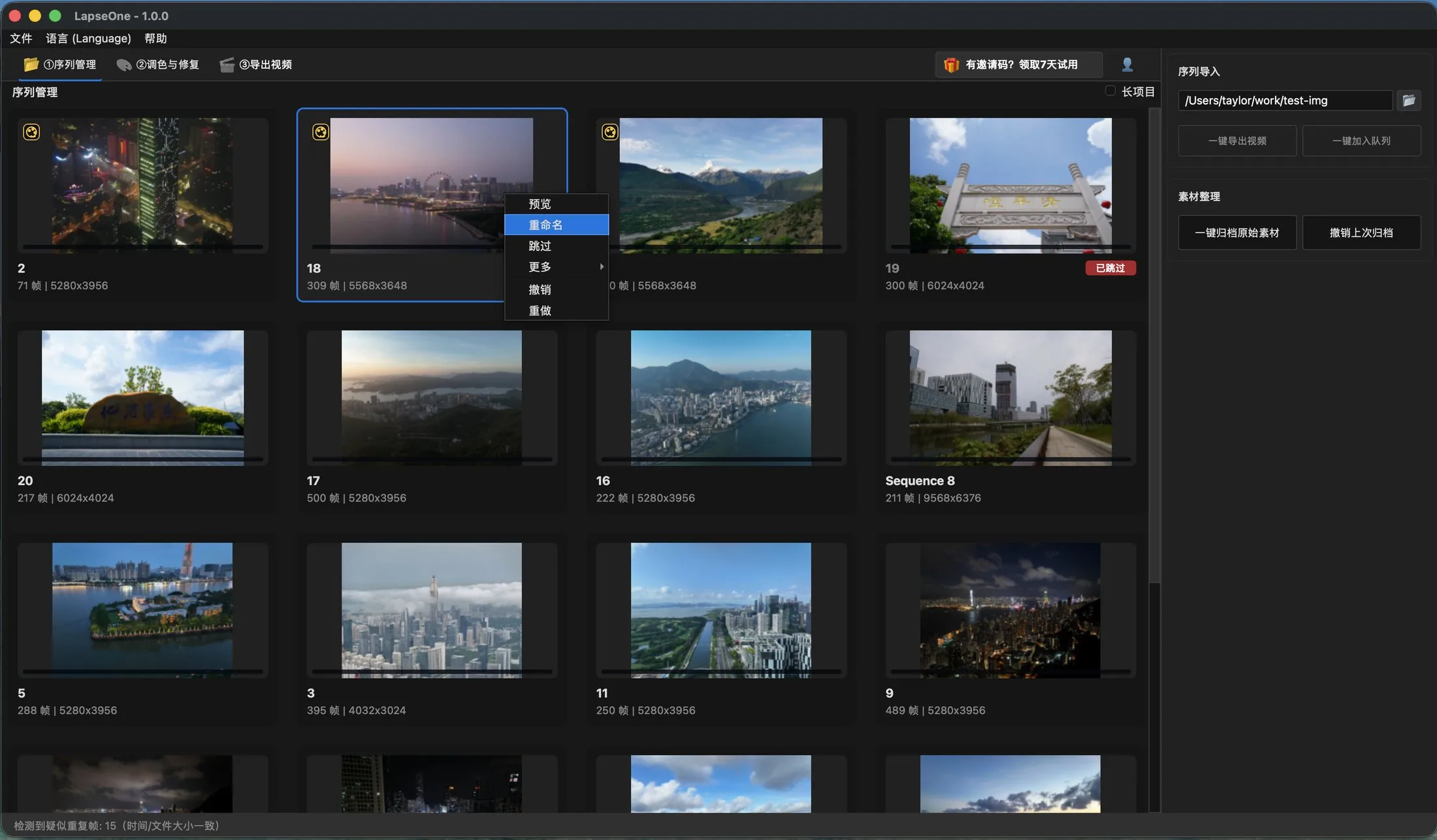
LapseOne multi-sequence management: frame count and resolution at a glance
Multi-sequence management: hundreds of sequences, tens of thousands of frames — all in one window
Why So Fast

Fast — not just at export.

LapseOne accelerates from RAW decoding onward.

91MP
RAW, deeply GPU-accelerated
High-res footage stays fluid
60 FPS
720P cache generation
Every interaction runs on a fast proxy
2–3s
600-frame deflicker analysis
Play the before/after the moment it finishes
GPU is not an option.
It is the foundation of LapseOne.
Test environment: i9-14900KF / RTX 4080 SUPER / 64GB DDR5-6400
Color Grading

Grading that finally follows time.

A timelapse is not one photo — it is a stretch of time.

From exposure to LUT, finish everything on one timeline.
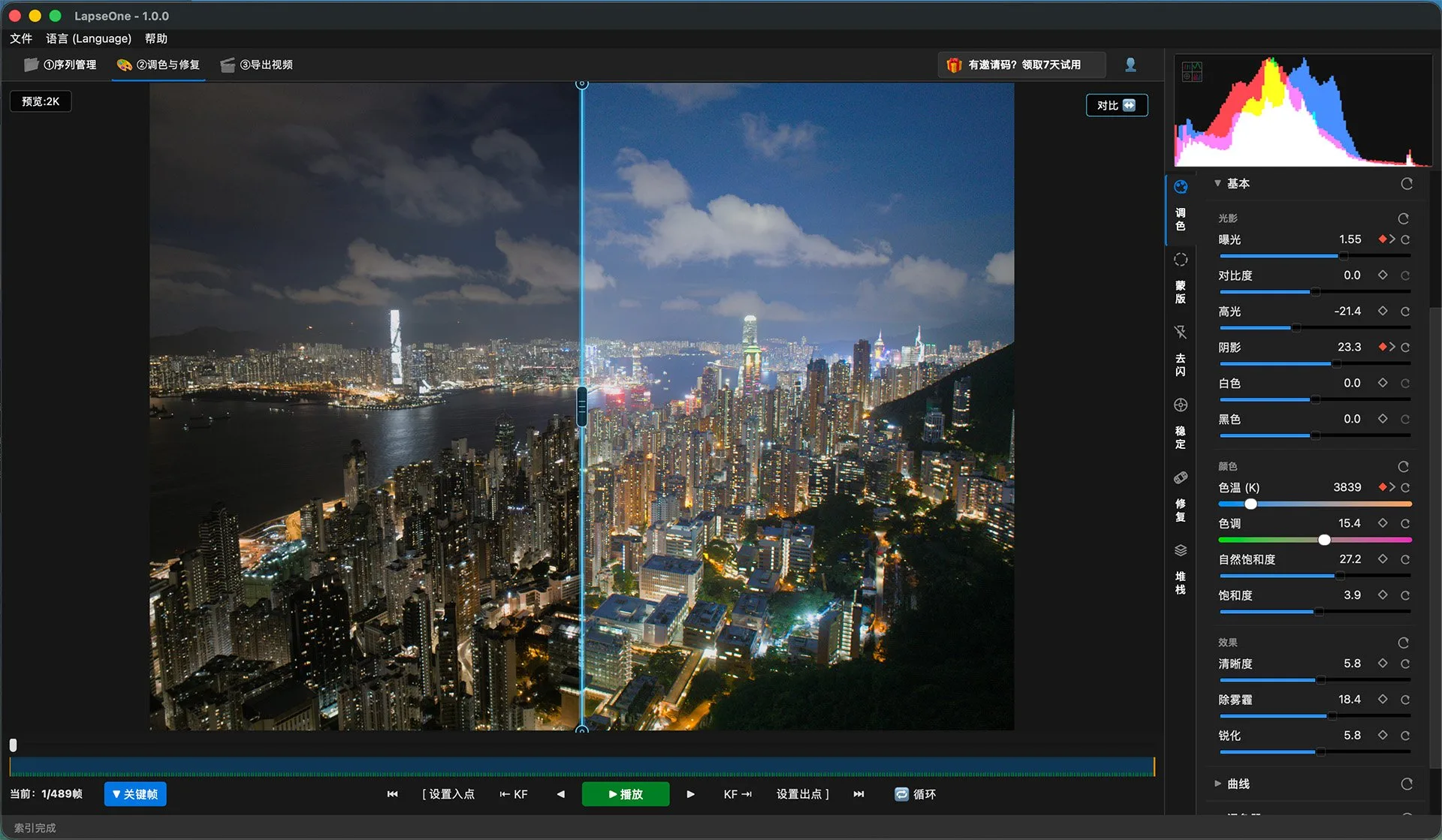
LapseOne before/after grading wipe: Hong Kong night timelapse
Before/after grading wipe: original on the left, graded on the right
Deflicker

Deflicker?Gone in a blink.

489 frames
entire sequence
~2–3 s
deflicker analysis done
Test environment: i9-14900KF / RTX 4080 SUPER / 64GB DDR5-6400
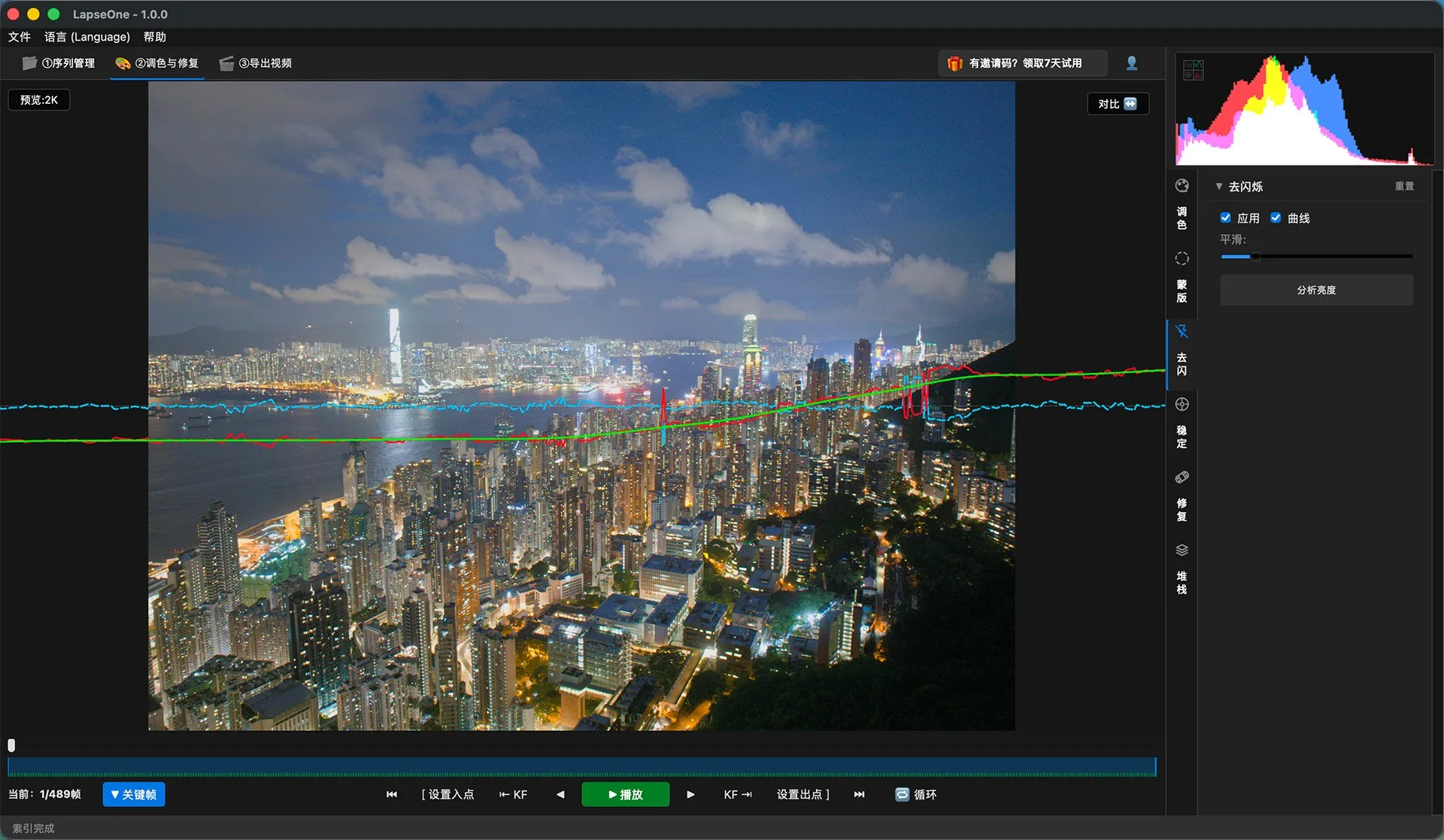
LapseOne deflicker: luminance curve compensated frame by frame over a Hong Kong night timelapse
Deflicker curve: red = raw luminance, cyan = compensation, green = smoothed — deflicker at a glance
Repair · Denoise · Stack

When the frame is steady, detail starts to matter.
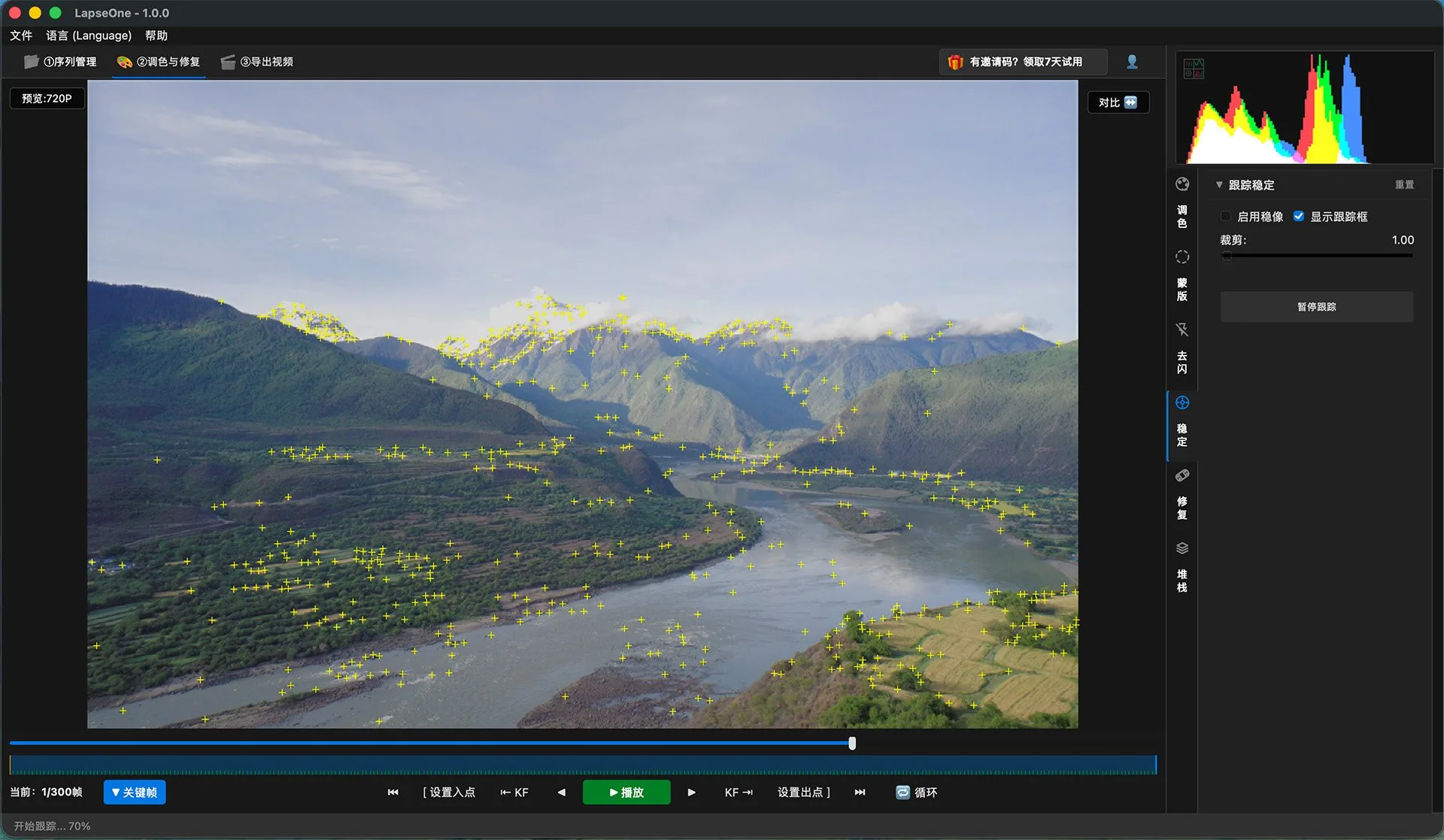
8.32s 489-frame tracking
13.10s stabilization analysis
21.42s total track + stabilize
Test environment: i9-14900KF / RTX 4080 SUPER / 64GB DDR5-6400
LapseOne track & stabilize: feature track points over a valley timelapse
Batch Render

One fast render is nothing special.
A whole batch, all fast — that is productivity.

Multiple sequences enter a background queue and LapseOne renders them automatically. Go do something else — leave the rest to it.
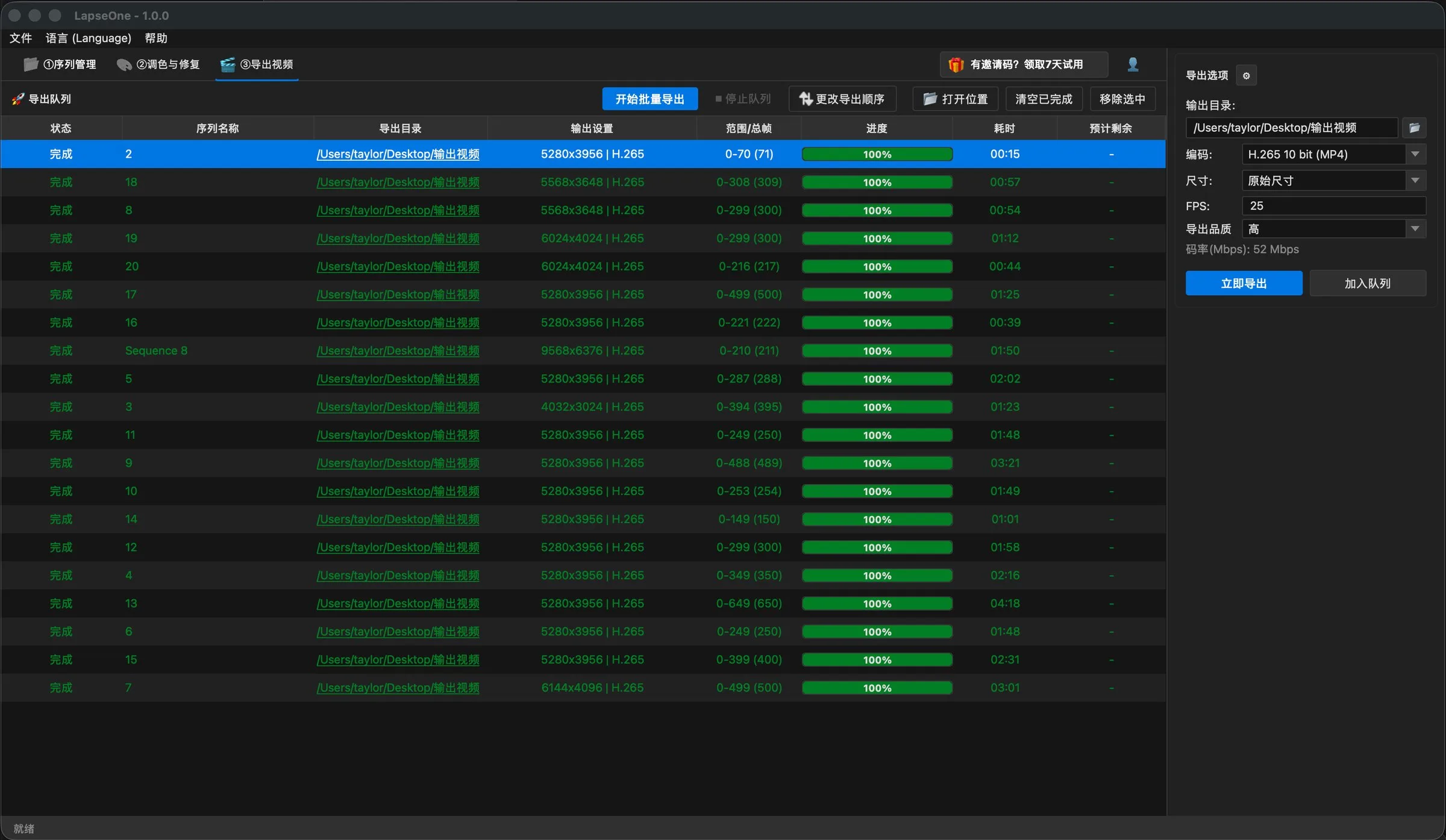
LapseOne batch export queue: 20 sequences all 100% complete
A real export queue: many sequences lined up, all 100% done
Master Delivery

Deliver any way you want.

From everyday publishing to professional post — a generous output space.

16K 10-bit 12-bit 16-bit ProRes 4444 XQ H.265 TIFF ACEScct
Rendering it is only step one.
Deliver like a pro.
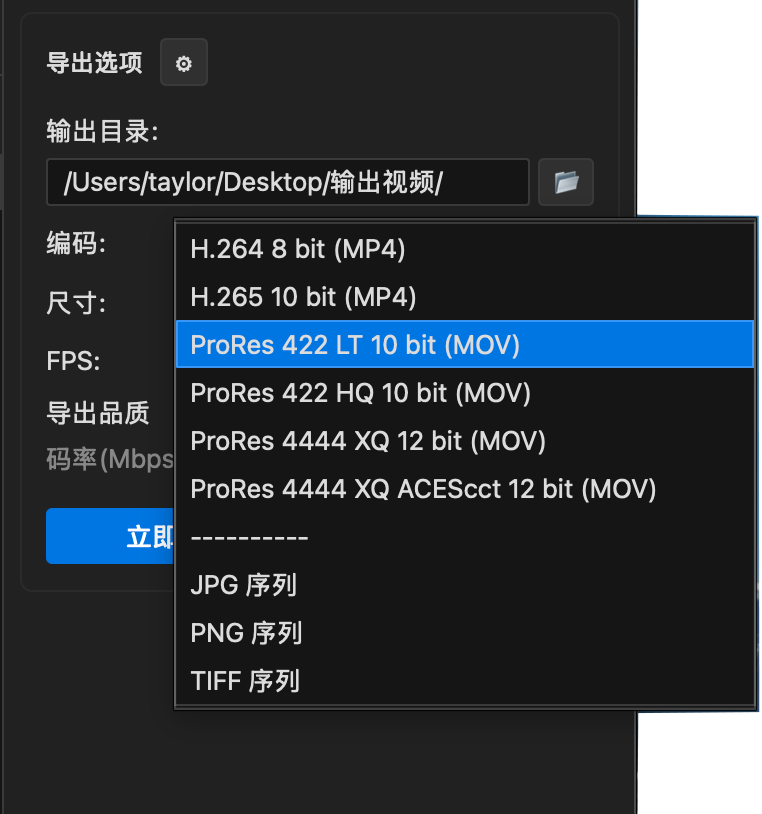
LapseOne export format menu: H.264 to ProRes 4444 XQ ACEScct and image sequences
A real export menu: H.264 to ProRes 4444 XQ ACEScct, plus JPG / PNG / TIFF sequences
Keyframes

Keyframes. No limits.

Sunrise, sunset, day-to-night — keyframes make every parameter follow time: exposure / shadows / white balance / LUT, all interpolated smoothly.
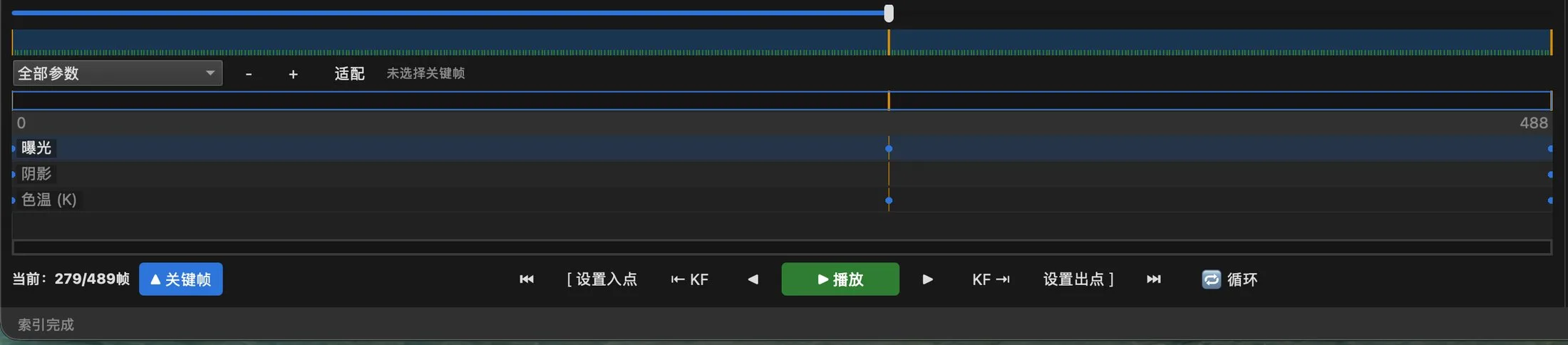
LapseOne keyframe editor: exposure / shadows / white balance interpolated over time
Keyframe timeline: every parameter interpolated smoothly over time
  • Keyframes in every plan No tier gate: Basic, Standard and Pro can all grade over time.
  • Unlimited keyframe count Add as many as you want: exposure, shadows, white balance, LUT — each parameter gets its own keyframes.
  • Every grading parameter supports keyframes Curves, HSL, LUT, AI grading effects — all of them transition smoothly over time.
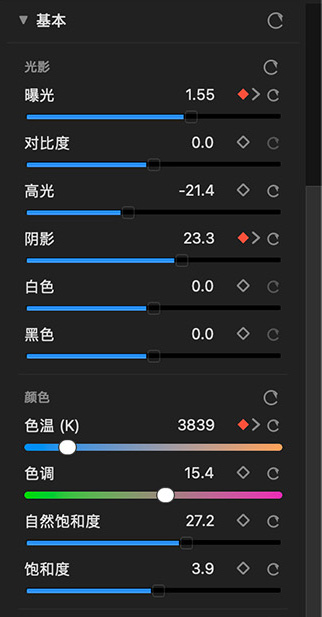
LapseOne keyframe panel: every parameter, from exposure to white balance, can be keyframed
Keyframe panel: every parameter, from exposure to white balance, can be keyframed
Pricing

Why Pro?

Six reasons. One production chain.

Basic
Everyday creation
  • Organize · Cull
  • Basic grading · deflicker
  • Up to 4K export
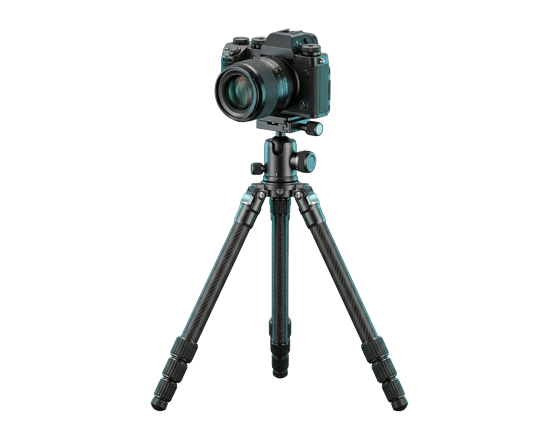
Static timelapse: tripod-mounted camera
For entry-level fixed-camera timelapse
All 11 essentials included
Standard
Advanced creation
  • Track & stabilize
  • Temporal / spatial denoise
  • Spot removal · clean plate
  • Stacking
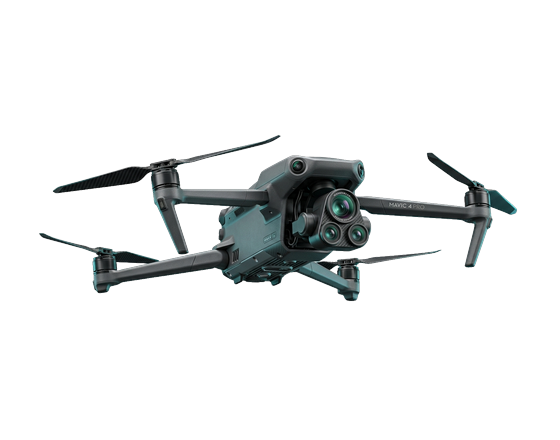
Dynamic timelapse: DJI Mavic 4 Pro aerial
For drone and moving timelapse
11 essentials + 6 advanced tools
Pro
Pro creation · Pro delivery
01Photo color matchOne reference photo → a unified look across the whole timelapse
023D LUTFull professional color look import
03Mask-based local gradingGrade exactly where you want — effects land in the final render
04Batch productionMany sequences, one submission, done automatically
05Native-resolution exportExport at the source resolution, up to 16K
06Pro codecs10-bit / 12-bit / 16-bit · H.265 · sequences · ProRes · ACEScct
From creative look to final master — one complete production chain.
Five Plans · Full Comparison
Basic / Standard annual / PRO annual · 2-year · Lifetime — one table to pick yours.
View Pricing & Comparison

Before you buy, read this.

What is LapseOne?
A professional timelapse post-production workstation — from RAW decoding to 16K delivery in one app, GPU-accelerated end to end.
Does deflickering 600 frames really take only seconds?
Measured at about 2–3 seconds (14900KF / RTX 4080 SUPER).
Can I try it first?
Yes. Every plan includes a 7-day full-feature free trial — buy and use instantly, no auto-renewal.